Live View - Not What I Expected

by Robert
(Richmond)

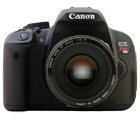
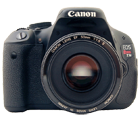
I just purchased a Canon EOS XSi; it was a good buy but..I bought it because it said it offered "live view" and I hate looking through view finders --
now I find Live View does not work in the "easiest" mode; it only works in the manual modes.

Why is this? I am very disappointed.

Comments for
Live View - Not What I Expected

Click here to add your own comments

Aug 06, 2009
Use P Mode Instead
by: Digital SLR Guide

What you have realized here is yet another "gotcha" of how DSLR live view systems work (and something that I've just really started to notice on the cameras I've been testing).

In addition to having much slower autofocus performance than when the camera is not in live view mode, live view only works with the camera set to Program, Aperture Priority, Shutter Priority or full Manual mode.

I'm not 100% sure why this is - it would seem that even in AUTO mode you'd still want to switch to live view - but this limitation is not just for your camera. There are many other models that work exactly the same way.

Since this is the case, I'd recommend that you set the camera to Program (P) mode instead of full AUTO.

Program mode essentially IS the same as AUTO mode, since the camera is responsible for handling all of its settings (you don't have to set anything manually) - but at least in P mode you can activate live view.

Click here to add your own comments

Join in and write your own page! It's easy to do. How?
Simply click here to return to Digital SLR Questions and Answers